 How can you trust AI in engineering?
 If I ask Claude to do something in Revit, can I rely on the output?
As always in engineering, it is not about trust, it is about predictable tools that you can count on.
By now, you have probably seen a number of videos showing people using Claude or Cursor in combination with Revit.
And it looks great, but there is always some level of doubt: can I really rely on it in real-world scenarios?
Well, with the right tools, you can.
The technology behind it is not as magical as it may appear.
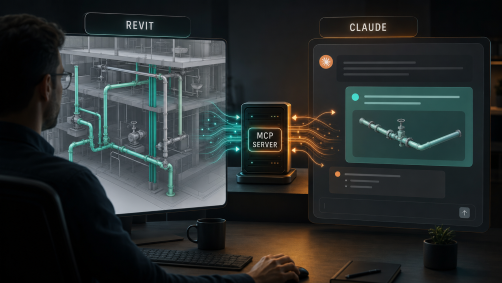
It is a combination of a Revit add-in, Claude (or Cursor), and an MCP server running in the background.
When you ask Claude to perform a task, in this case, to isolate pipes based on their system abbreviation - Claude checks whether any of the available tools can perform it. It reads the descriptions of the available tools, and if it finds a match, it runs the appropriate tool. Based on the instructions provided in the tool description, Claude knows how to use it, what input format is required, and how to handle the output.
Everything else is handled by the installed Revit add-in, with the MCP server acting as a bridge between Revit and Claude. The add-in has no buttons or graphical interface, but it is available to Claude or Cursor whenever a task needs to be performed.
You can use this tool for free. It is available in download section.
If you have Claude Desktop or Cursor installed, simply run the provided BIM-IT Pipe System Isolator MCP installer, and you can use it as shown in the video. No additional setup is required.